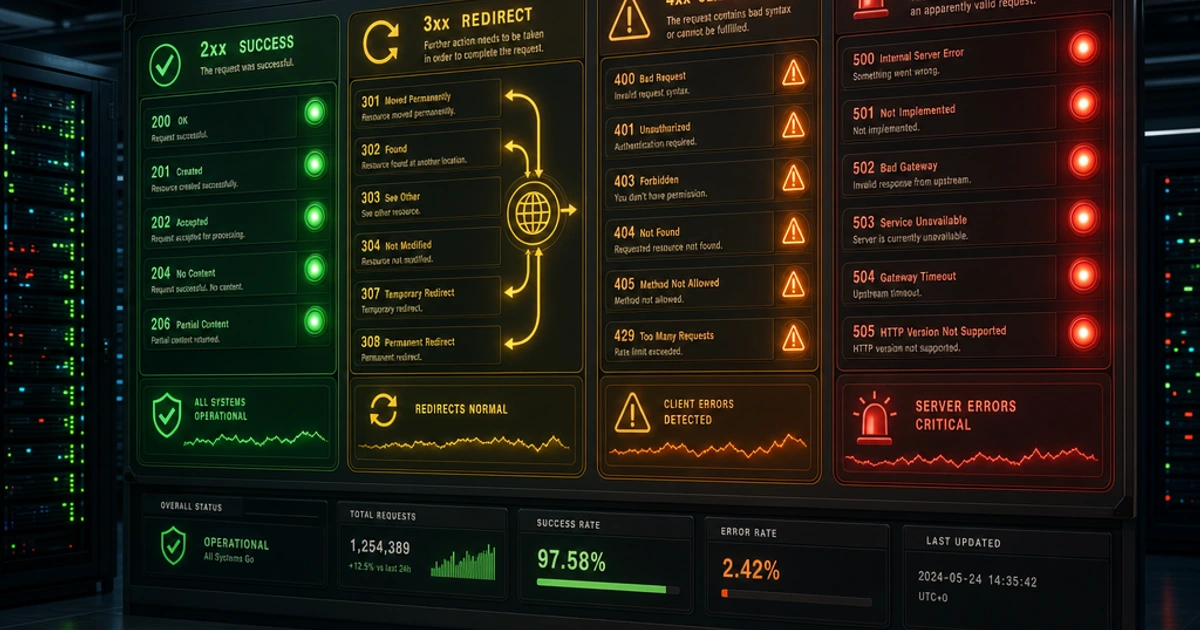
Is that a 401 or a 403? A 404 or a 410? HTTP status codes have precise meanings that most developers only half-remember. Getting them right matters — clients use these codes to decide how to handle responses, caches use them to decide what to store, and monitoring systems use them to detect problems.
Here's the reference you can actually use.
The Five Classes
Status codes are grouped into five ranges by their first digit:
- 1xx — Informational (rarely seen in application code)
- 2xx — Success
- 3xx — Redirection
- 4xx — Client error (the request was wrong)
- 5xx — Server error (the request was fine, but something broke server-side)
The most important distinction is 4xx vs 5xx. A 4xx means the client should fix something before retrying. A 5xx means the server broke, and the client might succeed if it tries again later.
1xx: Informational
You'll rarely deal with these in application code, but two are worth knowing.
100 Continue — The server is telling the client it can proceed to send the request body. Used when the client sends an Expect: 100-continue header to check if the server will accept a large upload before actually sending it.
101 Switching Protocols — The connection is being upgraded, most commonly from HTTP to WebSocket. You'll see this in WebSocket handshakes.
2xx: Success
200 OK
The workhorse. Request succeeded, and the response body contains the result. Used for successful GET, PUT, and PATCH responses. Most APIs overuse this by returning 200 for everything — including errors — which forces clients to parse every response body before knowing if the call worked.
201 Created
A resource was created, typically as the result of a POST request. Always include a Location header pointing to the new resource's URL:
HTTP/1.1 201 Created
Location: /api/users/1042
Content-Type: application/json

{ "id": 1042, "name": "Alice" }
202 Accepted
The request was received and will be processed asynchronously. The response typically includes a URL to poll for status. Used for long-running jobs — video encoding, bulk data imports, report generation.
204 No Content
Request succeeded but there's nothing to return. The canonical response for DELETE operations and for PATCH/PUT when you don't want to return the updated resource. No response body — returning one with a 204 violates the spec.
3xx: Redirection
301 Moved Permanently
The resource has permanently moved to a new URL (in the Location header). Clients and search engines should update their references. The browser caches this and won't hit the old URL again without clearing cache.
302 Found (Temporary Redirect)
The resource is temporarily at a different URL. Clients should keep using the original URL for future requests. Overused in practice — most "temporary" redirects are actually permanent.
303 See Other
After a POST/PUT/DELETE, redirect the client to a GET URL. This is the correct redirect to use in the Post-Redirect-Get pattern — it prevents the "do you want to resubmit?" browser prompt on back navigation.
304 Not Modified
The client sent a conditional GET with If-Modified-Since or If-None-Match, and the resource hasn't changed. No body is returned — the client should use its cached copy. This is how HTTP caching works efficiently.
307 Temporary Redirect / 308 Permanent Redirect
Like 302 and 301, but these explicitly preserve the HTTP method. A 302 redirect after a POST technically should become a GET for the new URL (though browsers mostly don't enforce this). 307 guarantees the POST stays a POST. Use 307/308 when method preservation matters — for example, when proxying API requests.
4xx: Client Errors
This is where the nuance lives.
400 Bad Request
The server couldn't understand the request due to malformed syntax, invalid parameters, or missing required fields. The catch-all for client-side input problems when no more specific code applies.
401 Unauthorized
Confusingly named — this actually means unauthenticated. The request lacks valid authentication credentials. The response should include a WWW-Authenticate header describing how to authenticate. The client should retry after providing credentials.
403 Forbidden
The client is authenticated but not authorized to access the resource. The server understood the request and knows who you are — it just won't let you do that. Retrying with the same credentials won't help.
The 401 vs 403 confusion is extremely common. If the user isn't logged in: 401. If the user is logged in but doesn't have permission: 403.
404 Not Found
The resource doesn't exist at this URL. This could be temporary (a resource that hasn't been created yet) or permanent. It tells the client nothing about whether the resource ever existed or might exist in the future.
410 Gone
The resource existed but has been permanently deleted. Unlike 404, this explicitly tells clients (and search engine crawlers) to remove their cached references. Use 410 when you remove a page or resource intentionally and want crawlers to deindex it.
405 Method Not Allowed
The HTTP method is not supported for this endpoint. A GET-only endpoint receiving a DELETE should return 405. Always include an Allow header listing the supported methods:
HTTP/1.1 405 Method Not Allowed
Allow: GET, HEAD, OPTIONS
409 Conflict
The request conflicts with the current state of the resource. Classic examples: trying to create a resource that already exists (duplicate unique key), or a version conflict in optimistic locking.
422 Unprocessable Entity
The request parsed fine but is semantically wrong. Use this for business logic validation failures — a valid JSON body where a date range has end before start, or an age field contains a negative number, or a discount percentage exceeds 100. These are structurally correct values that fail application-level rules. Some APIs use 400 for everything; 422 is more precise and more useful to clients. (A duplicate unique value like a taken username is better served by 409 Conflict, not 422.)
429 Too Many Requests
The client has exceeded the rate limit. Always include Retry-After (in seconds) and ideally X-RateLimit-Limit, X-RateLimit-Remaining, and X-RateLimit-Reset headers so clients can back off intelligently:
HTTP/1.1 429 Too Many Requests
Retry-After: 60
X-RateLimit-Limit: 100
X-RateLimit-Remaining: 0
X-RateLimit-Reset: 1736001000
5xx: Server Errors
500 Internal Server Error
Something went wrong on the server that wasn't the client's fault. The generic catch-all for unhandled exceptions. The client can retry, potentially with exponential backoff.
Never expose stack traces or internal error details in a 500 response to external clients. Log the details server-side and return a sanitized message.
502 Bad Gateway
The server was acting as a gateway (reverse proxy) and received an invalid response from the upstream server. If Caddy or Nginx returns this, your application server is likely down.
503 Service Unavailable
The server is temporarily unable to handle requests — overloaded or in maintenance. Include a Retry-After header if you know when it'll be back.
504 Gateway Timeout
Like 502, but the upstream server took too long to respond rather than responding incorrectly. Common when a backend service is slow or the network path has an issue.
Quick Reference: The Most Confused Pairs
| Pair | Rule |
|---|---|
| 401 vs 403 | 401 = not authenticated; 403 = authenticated but forbidden |
| 404 vs 410 | 404 = unknown; 410 = existed, now permanently gone |
| 400 vs 422 | 400 = bad syntax/structure; 422 = valid syntax, invalid semantics |
| 301 vs 302 | 301 = permanent (cache it); 302 = temporary (don't cache) |
| 502 vs 504 | 502 = upstream returned bad response; 504 = upstream timed out |
Seeing These in Practice
When you're building an API, the JSON Formatter helps inspect response payloads — paste the JSON body alongside the status code to quickly read what the server returned.
For constructing and debugging URLs with query parameters, the URL Encoder handles encoding special characters correctly, which cuts down on the 400 Bad Request responses from malformed parameters.
For how status codes fit into the overall shape of a well-designed API, see REST API Design Best Practices. And for HTTP headers — the other half of the response envelope — read Understanding HTTP Headers.
The MDN HTTP status code reference is the authoritative documentation for edge cases and exact spec behavior.
Wrapping Up
Most applications only actively use about fifteen status codes. Use them consistently and precisely — a client should be able to handle your API's responses based on status code alone, without parsing the body first. Get the semantics right and you get easier monitoring, simpler client error handling, and faster debugging as a side effect.
FAQ
Should I return 200 with an error in the body, or a proper error code?
Always use proper error codes. Returning 200 for errors forces every client to parse and inspect the body before knowing if the call succeeded — and it breaks monitoring, retries, caching, and load balancer health checks. The only time 200 with an error body is acceptable is GraphQL (which intentionally puts errors in the JSON), and even there the convention is debated.
What's the difference between 401 and 403?
401 means "you didn't authenticate" — show a login form. 403 means "you authenticated but you're not allowed to do this" — show a permission-denied page. They're not interchangeable. A 403 returned for missing credentials is a bug; so is a 401 returned to an authenticated user lacking permission.
When should I use 422 instead of 400?
Use 400 for structural problems (malformed JSON, missing required fields, wrong content-type). Use 422 for semantic problems (a valid JSON body where end_date is before start_date, or a discount > 100%). The split is useful for clients: 400 means "fix your request format"; 422 means "your data violated business rules."
Is 404 the right code for "you don't have access to this resource"?
For sensitive resources, yes — returning 403 leaks the existence of resources you can't access. GitHub uses this pattern: private repos return 404 to non-members, not 403, so attackers can't probe for valid repo names. For public-facing apps, use 403 to be honest; for security-sensitive resources, prefer 404.
Should I use 301 or 308 for redirects?
301 for normal "this URL moved permanently" cases — every browser, search engine, and client handles it correctly. Use 308 only when method preservation matters (e.g., a POST should remain a POST after redirect). Some older clients don't fully support 308, so 301 is still the safer default for public sites.
What's the right code for rate limiting?
429 Too Many Requests, with a Retry-After header in seconds. Optionally include X-RateLimit-Limit, X-RateLimit-Remaining, and X-RateLimit-Reset (or use the standardized RateLimit-* headers from the IETF draft). Don't use 503 — that means "service unavailable," which is broader than "this client should slow down."
Should I return 503 for maintenance mode?
Yes, with a Retry-After header indicating when service will resume. 503 with Retry-After: 3600 tells crawlers and clients to back off for an hour rather than treating it as a permanent outage. Don't use 200 with a maintenance HTML page — that confuses search engines and breaks API clients.
Is 418 I'm a Teapot a real HTTP status code?
Technically yes — defined in RFC 2324 as an April Fools' joke in 1998 and now in the IANA registry. Some servers return it for amusement (Google has a /teapot endpoint that does). Don't use it in production for anything serious; clients and frameworks have inconsistent handling, and reviewers will think you're confused.